Add/Edit...Parts...Service/Repair Parts Lists...User Defined 1-5
This feature allows the population of the User Defined 1-5 fields found in the Service/Repair Parts List.
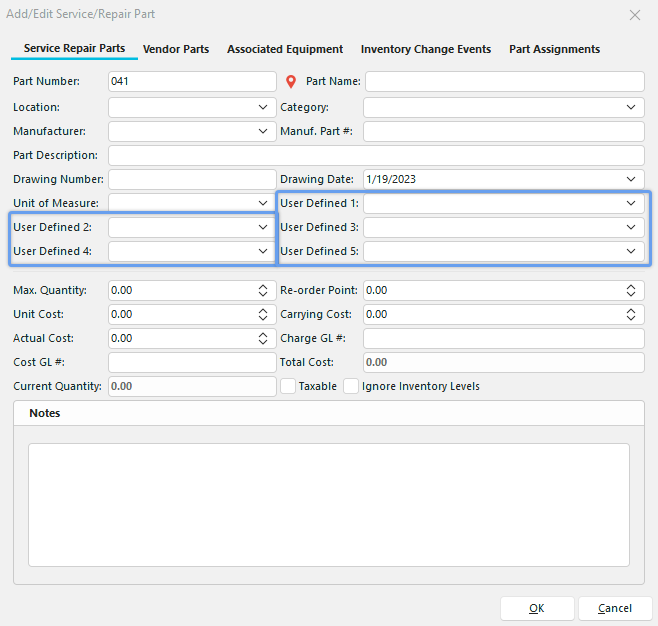
Add/Edit Parts - Service/Repair List - User Defined 1-5 Default View
**:**The User Defined labels can be customized by going to Preferences -> By Company--> Custom Captions 1.
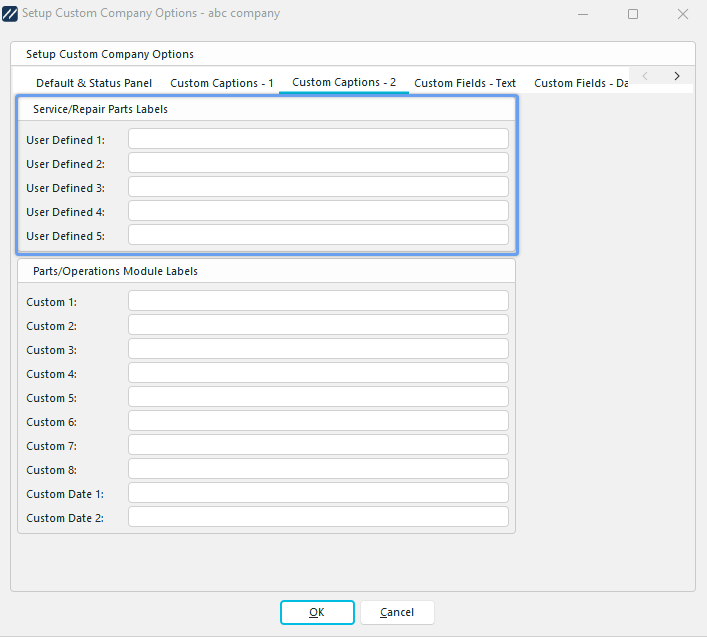
Company Preferences - Service/Repair Parts Labels
Add/Edit Service/Repair User Defined 1 - 5 Lists
To add to or manage the Service/Repair User Defined lists, click Add/Edit in Dashboard View and select Parts -> Service/Repair Parts List --> User Defined # from the drop-down menu.
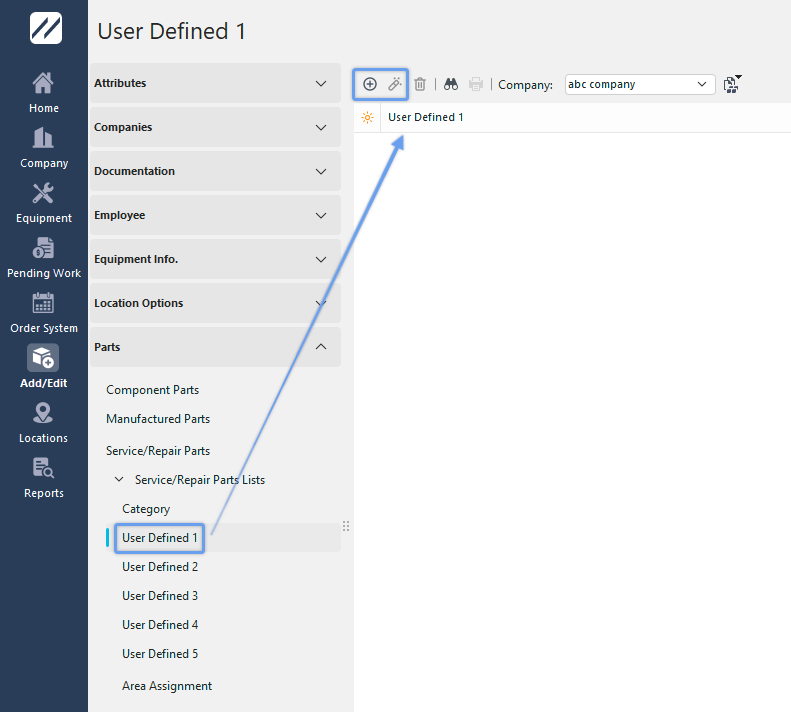
Add/Edit User Defined 1 Dialog
Be sure you're adding User Defined Item into the right Company. Click  'New Item' to add a new User Defined Item or
  to 'View/Edit Item.'
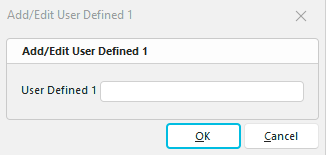
Add New User Defined Item
Enter the new User Defined item into the dialog box. Click OK and repeat as necessary.
If you rename the User Defined labels, the dialog boxes will display the new field names instead of 'User Defined 1', etc.