LookupTrainingDate
Structure
LookupTrainingDate(sUsername)
Parameters
| Parameter | Type | Description |
|---|---|---|
sUsername | String | The employee to validate as trained |
Return value
Date
Description
This function returns the date (if any) on which the sUserName employee was trained on the template that matches the current asset in the event. The current asset is determined by the selected record in the 'Choose Equipment' grid. If using a trigger action that loops through event equipment (like 'Event Finish'), then this function could be called once for each asset. Typically the sUserName is set to the user running the event, like:
dtTrainingDate = LookupTrainingDate(LookupCurrentUser)
if dtTrainingDate <> 0 then
ShowMessage('You were trained on ' & DateToStr(dtTrainingDate))
Else
ShowMessage('You are not trained on this template')
End If
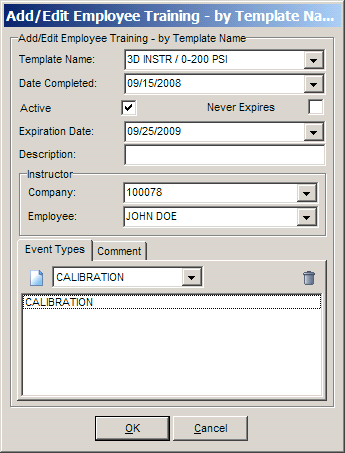
Note: the use of this function assumes that Add/Edit Employees...Employee..Step 3 (Trainings - Per Template Name) details are being maintained in the IndySoft database. This detail table per employee logs the template upon which the employee is trained - with expiration dates, active state, etc.
Example
No example provided
See also
No related topics