Profile Manager - System Admin. Log History
System Administrator Log History
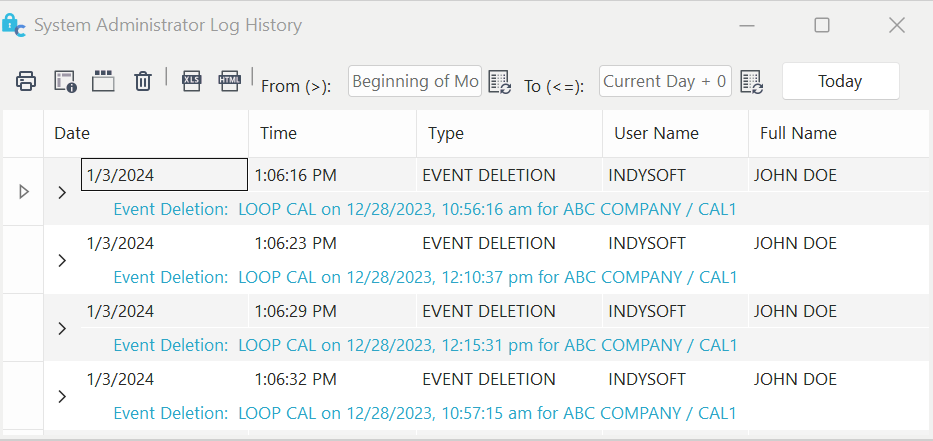
System Administrator Log History Dialog
This dialog (accessed through Management: Log History...) lists major events a system administrator might want to see. Using a log type and date filter, a system administrator can list and optionally print out events that have occurred in the IndySoft system.

Print List
Press this button to print the log history list.

Customize Grid
Press this button to pop up the customize grid dialog. This will allow you to drag/drop fields in/out of the grid.

Show Group Panel
Press this button to show the Group Panel in the log grid.

Delete Selected Log Item
Press this button to delete the currently highlighted log item.

Export to Excel
Press this button to export the log to an Excel (.XLS) file.

Export to HTML
Press this button to export the log to an HTML (.HTM) file.
Filter Log Type
Check the appropriate Log Types you wish to see.

Filter Log Date Range
These two date fields specify the date range of history logs to show. You can also use choose to use relative dating.

Return Log History Button
Press this button to return logs that match the specified filter.