Adding Companies / Customers
All equipment in IndySoft Commercial Lab Management is keyed off a particular Company. The term Company may also refer to a large department, a library of equipment, or a customer. However it's used, each Company has its own list of equipment, security settings, and selection lists. Various other fields and events can also be customized per Company.
Adding a new company
To add a new customer or company, click the Company tab on the left-hand-side menu.
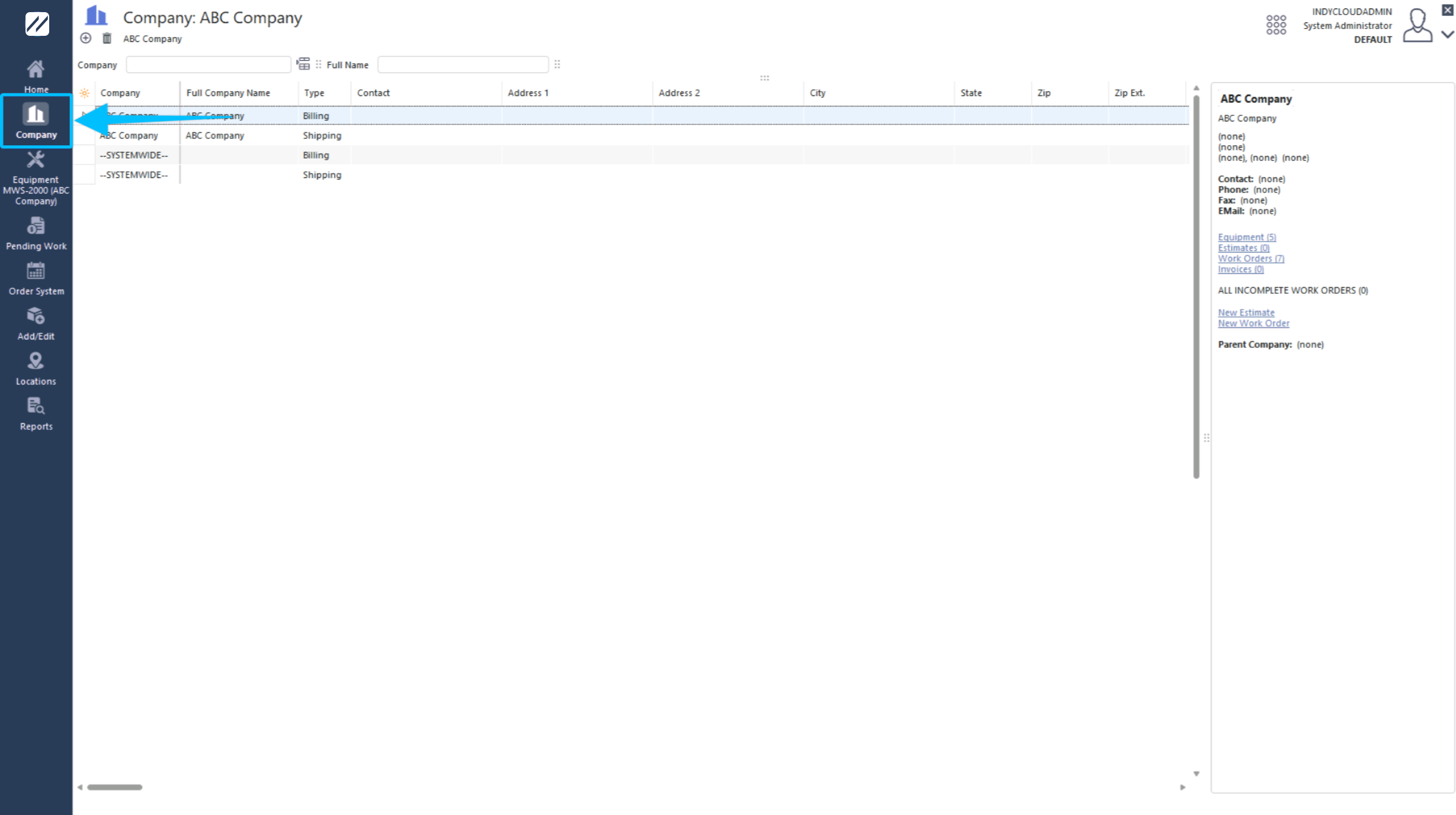
Company tab
Click the Add New icon  on the toolbar. Enter the information for the new company and click Save.
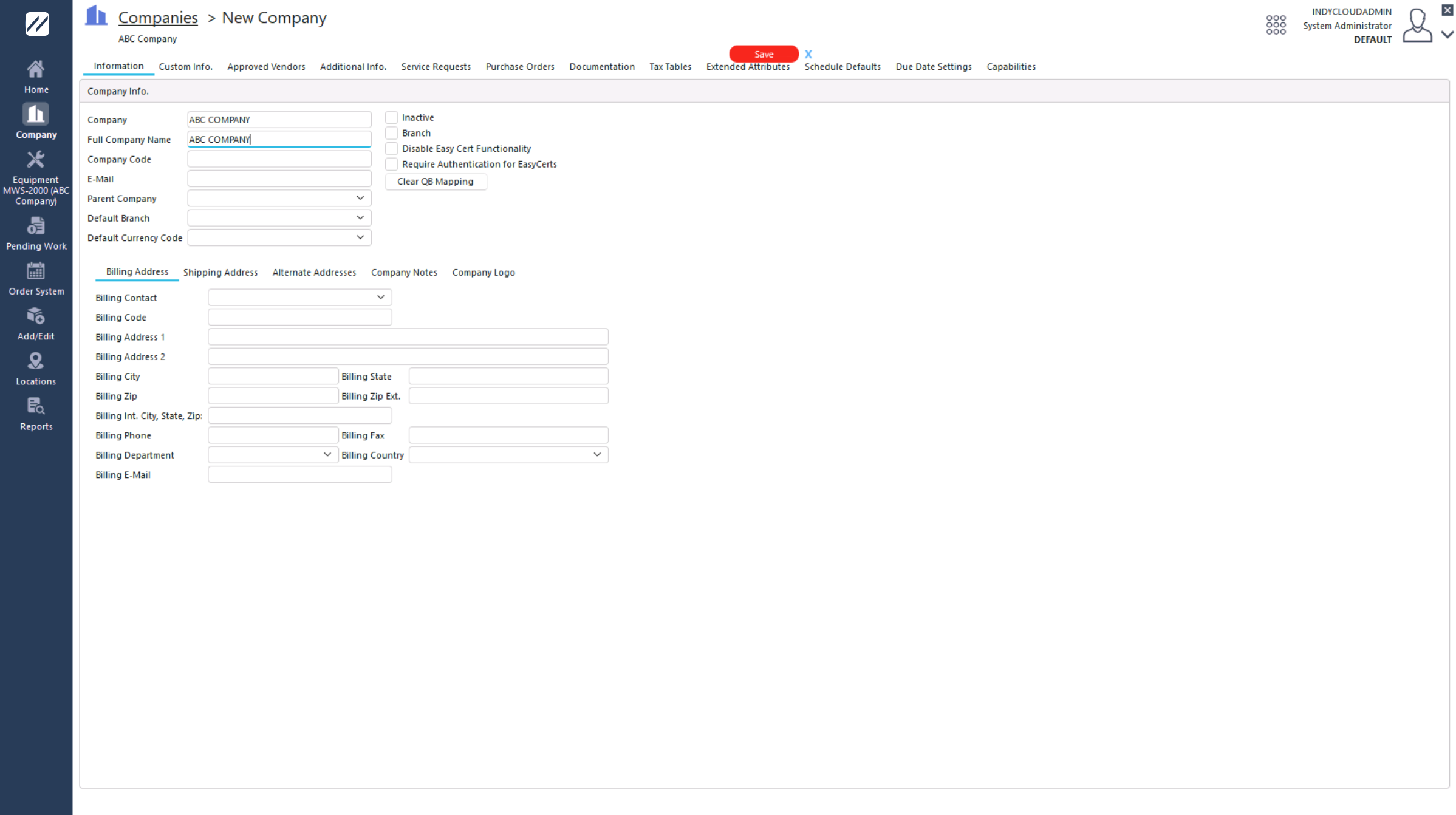
New company entry
The older method of accessing the Company tab via the Add / Edit list still exists.
The other tabs in the Add / Edit Company dialog are for customizing customer-specific information. New company info appears in the Company dialog on the Equipment Layout and in the Add/Edit location.
Toolbar actions
| Icon | Button | Description |
|---|---|---|
 | View | View the company information. |
 | Delete | Delete the company. Only available if no existing gage records exist. |
 | Find | Search for a particular company. |
 | Print the list of companies. |
Adjusting grid columns
Adjust the columns shown in the grid using the button in the top-left corner:
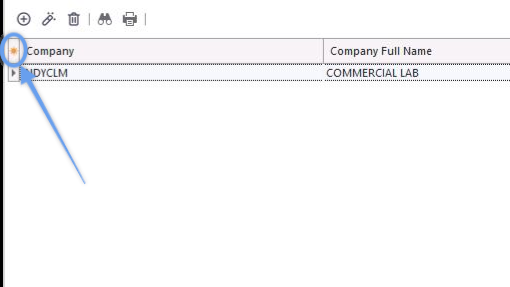
Adjust columns button