Charges
The Charges tab lets you set up all the charges for the equipment.
note
Before adding charges, charge types must be established under Add/Edit → System-Wide → Charge Types.
Adding a new charge
Select the Charges tab and click the New icon: 
The Add New Charge dialog opens:
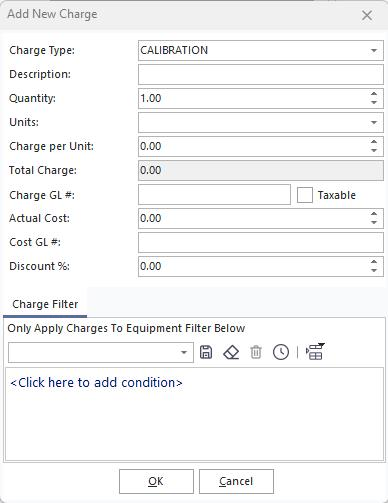
Add New Charge dialog
Enter:
- Charge per Unit
- Actual Cost
- Discount (if applicable)
Click OK to save the charge to this equipment.
You can also add a filter so the charge only applies if certain criteria are met by the equipment.

Charge with filter