Calibration Info
The Calibration Info screen is used to input certain event details and view associated data.
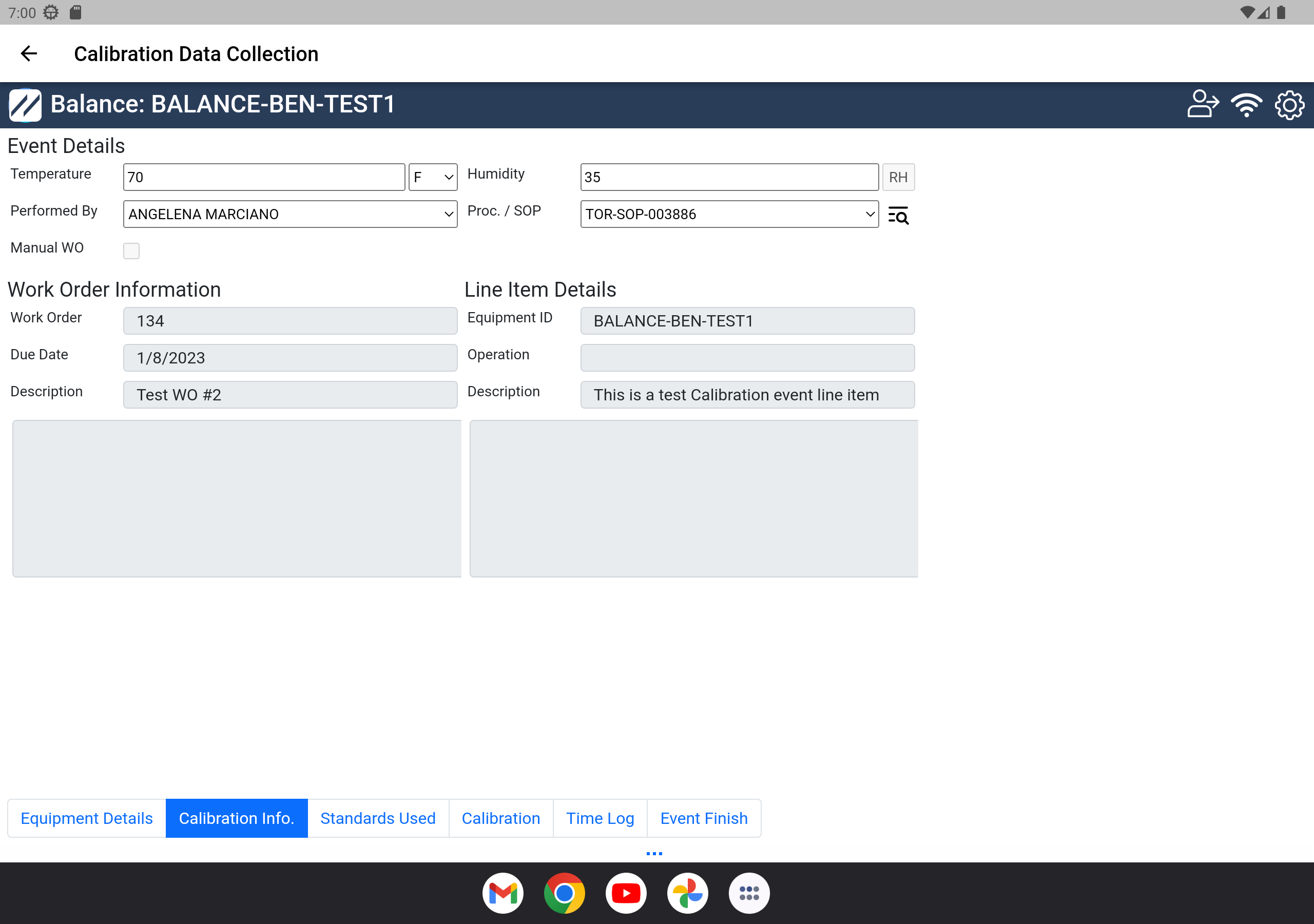
Calibration Info — Step 2
The Calibration Info tab has three sections:
- Event Details
- Temperature — the temperature during the calibration
- Relative Humidity — the relative humidity during the calibration
- Performed By — the technician performing the calibration
- Proc./SOP — the procedure or document associated with the equipment
- Work Order Information
- Work Order (Job #)
- Due Date
- Description
- Line Item Details
- Equipment ID
- Operation
- Description
When you are ready to move to the next step, click the appropriate tab above.