Receive In Lab
The Receive In Lab event lets you move assets into the lab or prepare them to be sent to a vendor for calibration.
In the Receive In Lab event, the Vendor field determines which route the event takes:
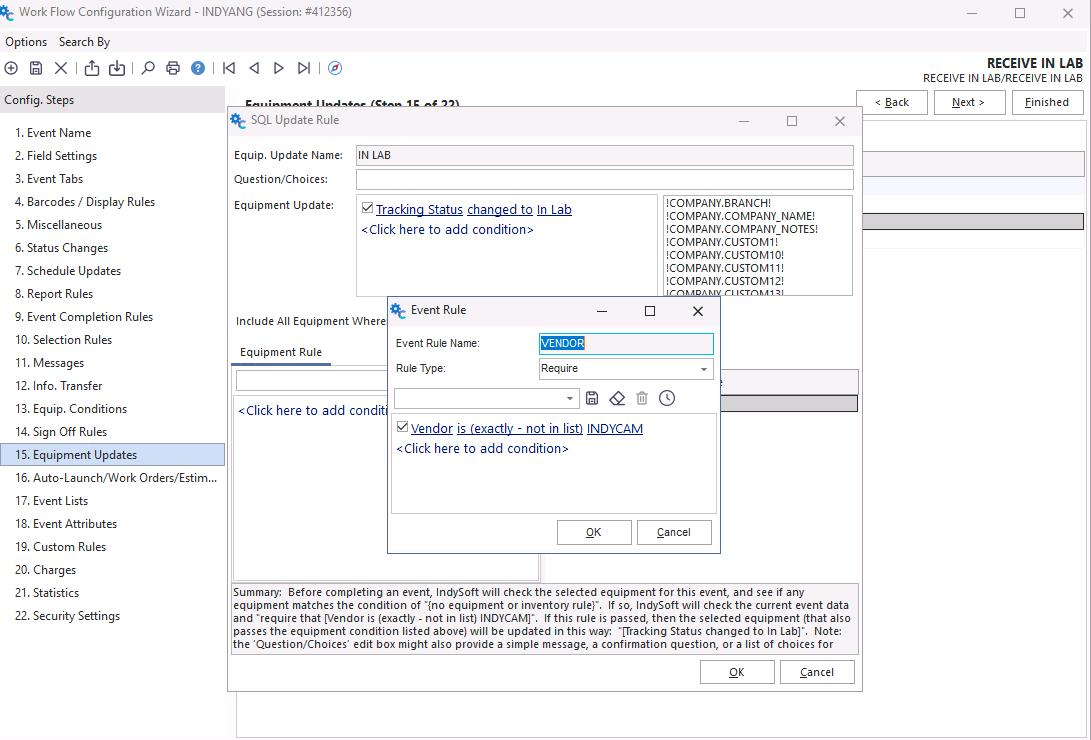
- If the vendor is your company / facility → tracking status routes to In Lab.
- If the vendor is anything other than your facility → tracking status routes to Await Vendor.
note
We need to quickly adjust your Workflow Configuration settings during installation to ensure this works according to your company's setup. See below for where the modification takes place.
In Lab tracking status route
This applies when the vendor selection below is set up to move based on your facility/company as the vendor.
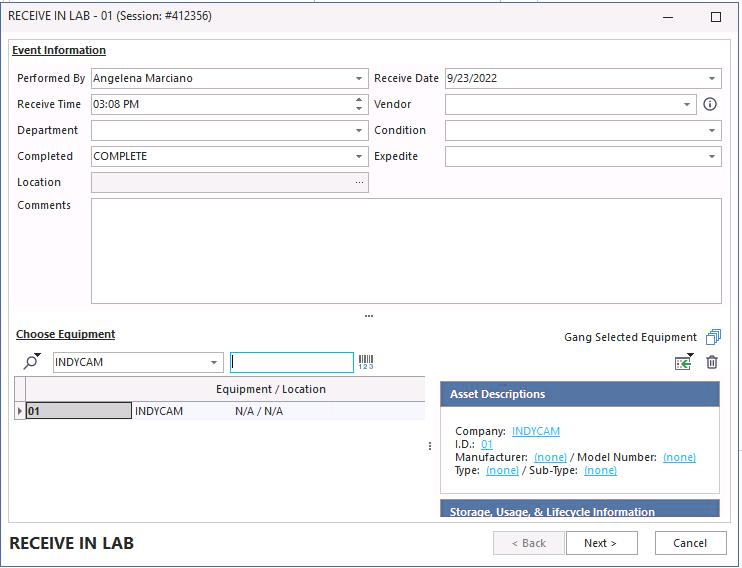
Receive In Lab — In Lab route
Await Vendor tracking status route
This applies when the vendor selection below is set up to move based on anything other than your facility/company as the vendor.
Receive In Lab — Await Vendor route
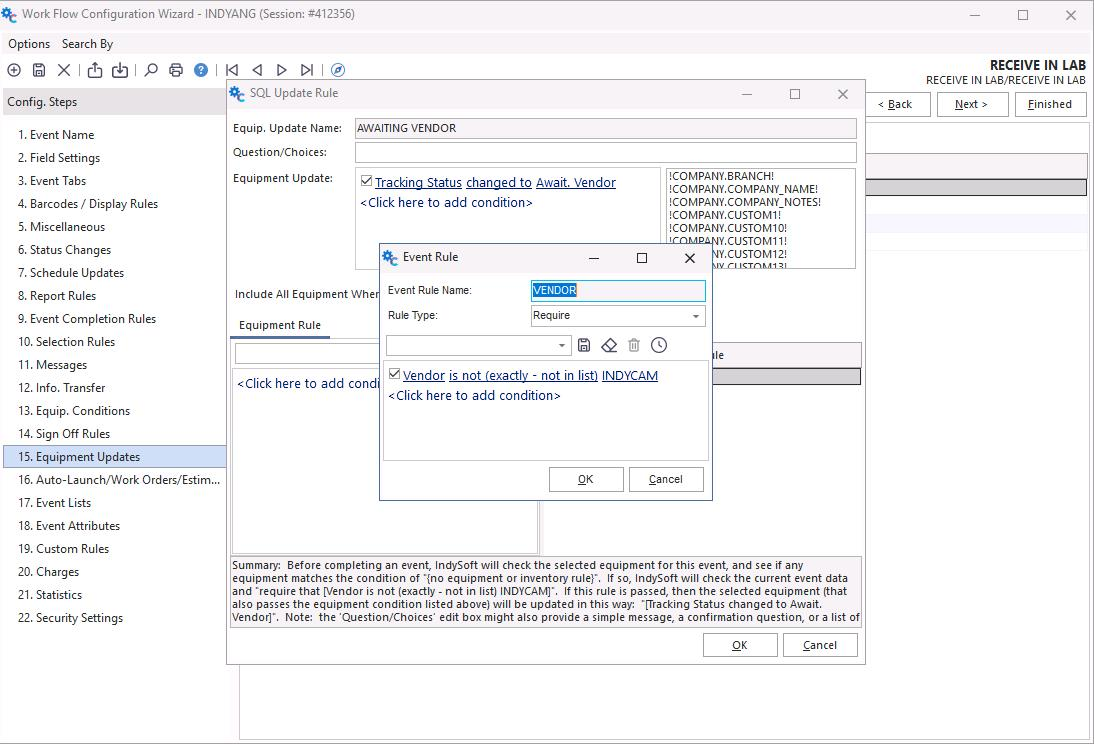
Workflow configuration for routing