Vendor Events
The vendor calibration process branches based on the vendor selection in the Receive In Lab event.
If the vendor is not your facility, items move to Await Vendor:
- The Send To Vendor event captures all the information needed to document an asset leaving the facility.
- On return, the Received From Vendor event tracks items returning to the facility.
- The Vendor Calibration event attaches the calibration certificate and updates the calibration date, certificate number, and any other information required to be documented from the vendor.
- From here, items wait in the Await Return status until they're moved back into production with the Return to Production event.
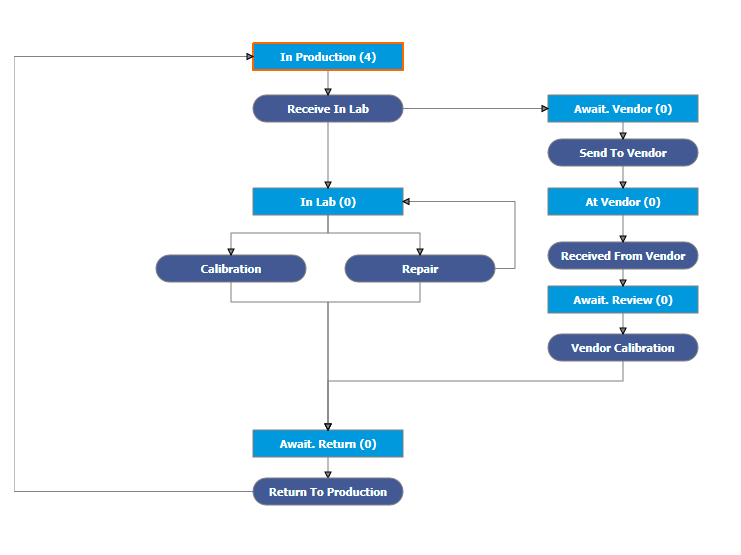
Vendor calibration workflow